In this lesson you will
- Read a paper in the order that finds what you need first
- Take notes that keep the page they came from
- Ask Chat about a PDF and check each answer against the passage
You rarely need to read a paper from the first line to the last. Read the abstract, then the figures and tables, then the discussion, and the methods last for what you will rely on, noting the page of each point. In Papero, open the PDF in the reader beside your document, ask about it in the Chat tab, and press the page button after each source in an answer to see the passage it used.
Read for your question, in the order that pays
Start with the abstract. In two minutes it tells you what was studied, how, and what was found. If the paper does not touch your research question, stop there and move on.
Next, the figures and tables with their captions. They hold the results in a few lines. Then the discussion: what the authors think the results mean, and the limits they admit. Read the methods last, and closely only for a finding you plan to cite: how many fish, which species, for how long, compared with what.
Take notes as you go, one point per note, each with its page number. Write the point in your own words, and put any exact wording in quotation marks. A note without a page sends you back through the whole PDF the night before the deadline.
An AI answer about a paper is a pointer, not a reading. It can miss a limit the authors state two pages later. Open the passage it used and read the lines around it before the point goes in your notes.
Lines to copy
- Question for Chat, the studyWhat did this study measure, in which fish, and for how long?
- Question for Chat, the limitsWhat limits of their results do the authors mention?
- Note with page numbersJuvenile fish exposed to microplastics grew more slowly than the control group (p. 6). Laboratory study of one species only (p. 9).
In Papero
Set it up in Papero
Works on Free. The reader opens every PDF in your library. On Free, Chat answers from your document and your own PDFs, and each answer counts toward your chat allowance. Chat needs a confirmed email address.
- Make sure the paper has a PDF in your library, for example one you saved with its PDF in the lesson on finding papers.
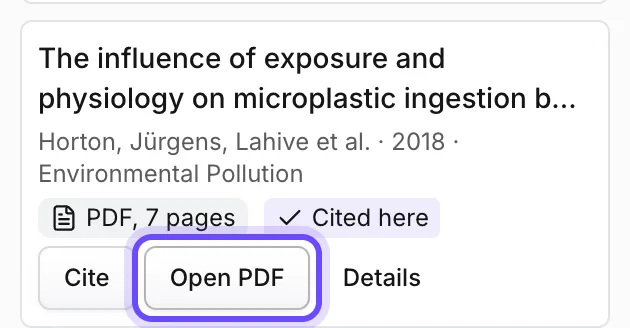
- Open your document, press Side panel at the top right and choose the Library tab. Press Open PDF on the paper. The reader opens beside your text.
- Move through the pages with Next page, and press Fit width to read at full width. To keep exact wording you may quote later, click in your text where it goes, select the passage in the reader and press Quote with citation. Papero adds the words in quotation marks with a citation of the paper. Write your other notes yourself, under a Notes heading at the end.
- Choose the Chat tab. The first time, read the note on how Papero's AI handles your text and press Got it.
- Type @ and the first author's name, then pick the paper, so that Chat reads that PDF. Type your question and press Enter.
- After each source in the answer there is a small page button, or PDF when the passage has no page number. Press it: the reader opens under Passage the answer used, with the passage highlighted.
- Read the lines around the passage. Keep a point only when the paper says it.
Practice
Your task
- Read one paper in the order abstract, figures, discussion, methods, and stop after the abstract if it does not fit your question.
- Write three notes in your own words, each with its page number.
- Ask Chat two questions about the paper and open the passage behind each answer.
You are done when your document holds three notes from the paper, each with a page number, and you have read the passage behind each of Chat's answers.
Common mistakes
- Reading from the first line to the lastIntroductions are long and general. The abstract, the figures and the discussion tell you sooner whether the paper deserves more time.
- Notes without pagesWrite the page with every point. You need it for a quote, and to check the point later.
- Taking a Chat answer as the paperAn answer sums up a few passages. Open the passage and read around it before you use the point.
Key points
- Abstract, figures, discussion, then methods.
- One point per note, in your own words, with its page.
- Chat points you to a passage. You read it.
Up next · Lesson 7 of 20 · 7 min
Write an introduction that ends in a thesis statement
An introduction that ends in one thesis sentence
Mark as done and continueYou marked this lesson as done.