Save the paper you are reading to your library
Papero Web Importer opens a side panel beside the page. On a paper with a DOI, an arXiv preprint or a PubMed record, it finds the reference, shows it to you and saves it to the collection you choose. Any other page is saved as a webpage source.
Coming soon to the Chrome Web Store.
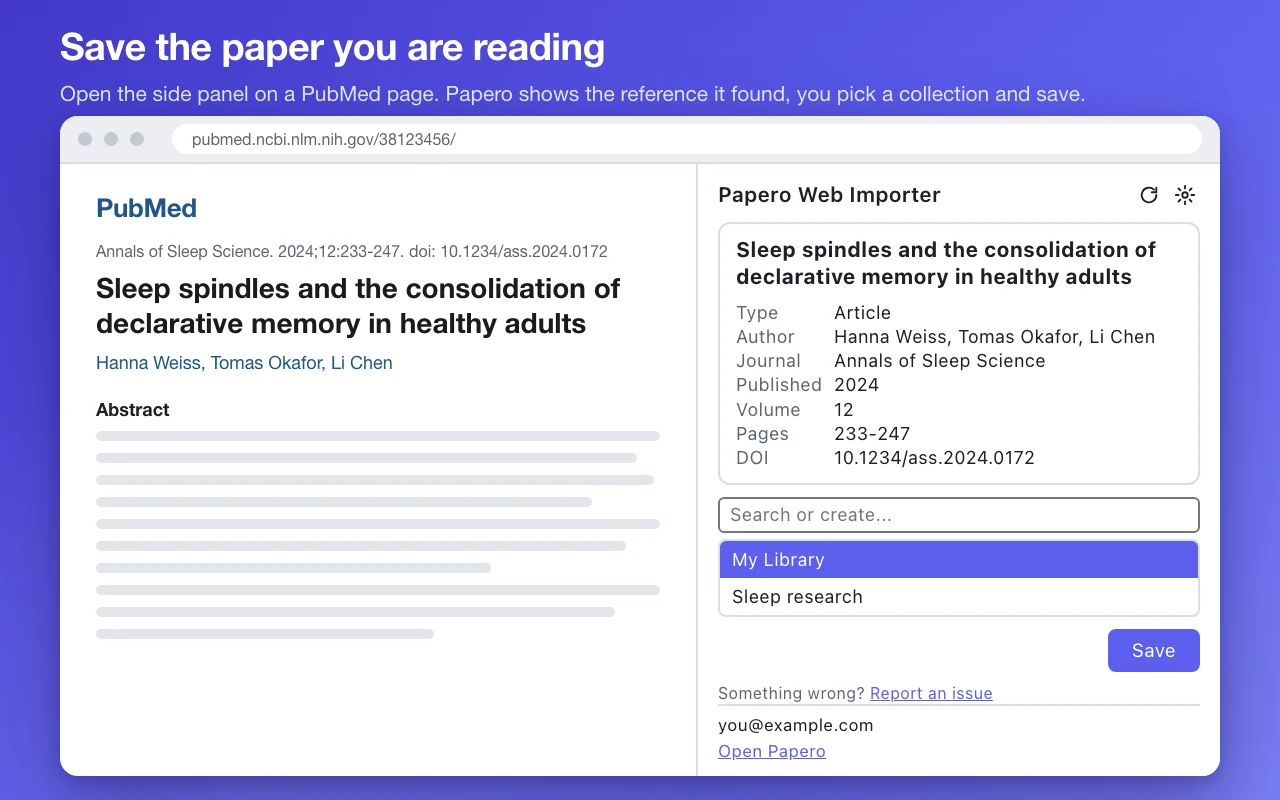
From the page you are reading to your library
Open the side panel
Open Papero Web Importer on a paper's page, or right-click the page and choose "Add this page to Papero". The panel reads the reference from the page.
Check the reference
You see what it found before anything is saved: title, type, authors, journal, year, volume, pages and DOI. Retracted papers and preprints are flagged.
Pick a collection and save
In Save to, search your collections, or type a new name to create one from the same box. Then open the reference in Papero and cite it in your documents.
Or save without opening the panel
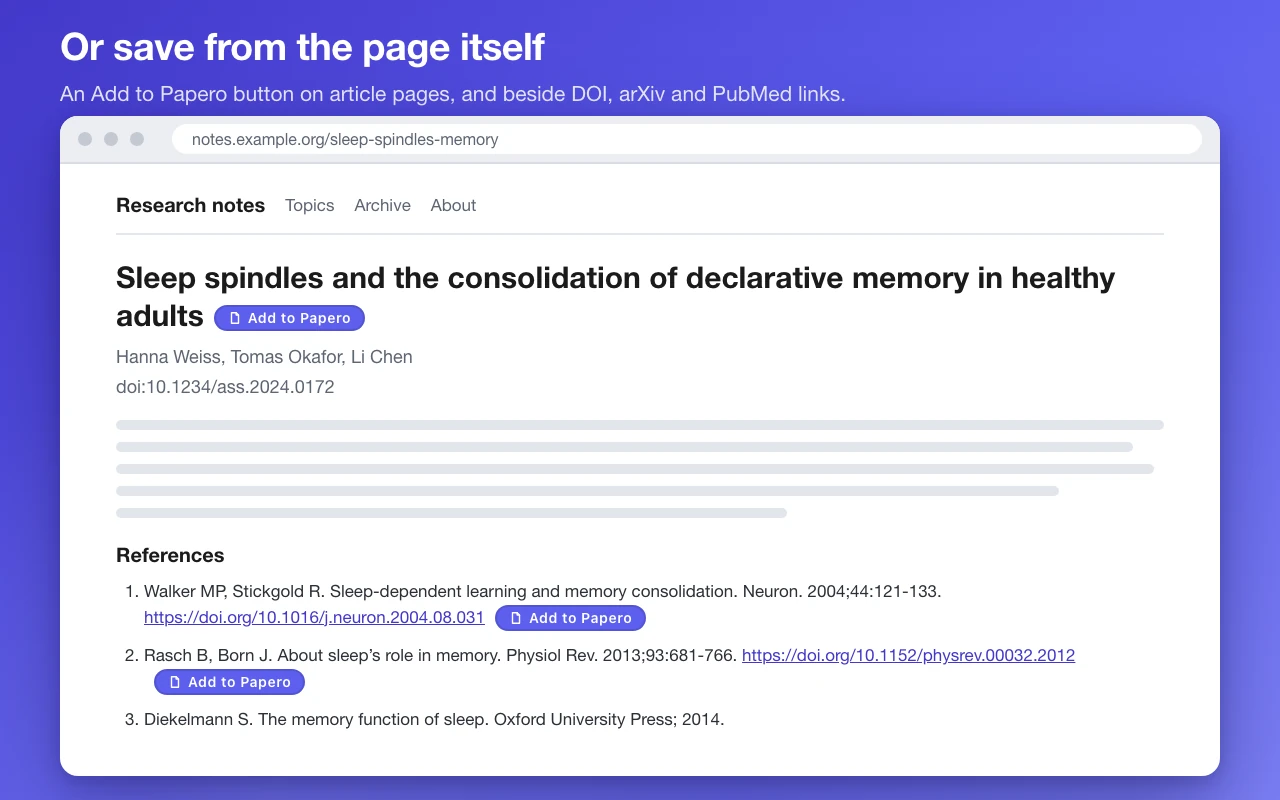
Add to Papero buttons
A button appears beside an article's title and beside each DOI, arXiv and PubMed link on the pages you open. One click saves the paper. The buttons are on by default, and you can switch them off for one site or for every site.
The right-click menu
Right-click a DOI, arXiv or PubMed link and choose "Add this link to Papero" to save that paper straight away.
Where quick saves go
Set Save to in the panel's settings: the last collection you used, or always My Library. A button click and a right-click save both follow it.
It talks to Papero and nothing else
- It contacts only app.papero.ai, with your own Papero session. It has no analytics, trackers or error-reporting service.
- Nothing leaves your browser until you click a button, use the right-click menu or open the side panel. Even then it sends only what it extracted, such as the DOI, title, URL and site name.
- It saves references. It does not download PDFs or copy full texts.
- It keeps only its settings, in your Chrome profile, and no password, token or key. Nothing it handles is sold or shared.
What it reads on a page, and exactly what it sends, is set out in the privacy policy.
Before you install
Do I need a Papero account?
Yes. It saves to your Papero library, and it signs in with the Papero session you already have in the browser.
Which pages does it work on?
Papers with a DOI, arXiv preprints and PubMed records are saved as full references. Any other web page is saved as a webpage source. It places no buttons on papero.ai or app.papero.ai.
Does it read every page I open?
While the Add to Papero buttons are on, it reads, in your browser, each page's citation and Open Graph meta tags, its title and URL, and the addresses and visible text of its links, to place the buttons. It does not read your browsing history or form fields. Where you switch the buttons off, it reads a page only when you open the side panel or use the right-click menu.
Build your library while you read
Save each source as you find it, then cite it in your Papero documents.
Coming soon to the Chrome Web Store.