In this lesson you will
- Write a section prompt that says what the section should cover
- Read a draft and decide what to keep
- Cite a real paper at the sentence that needs it
A cited paragraph has three parts: a point, the evidence for it and the source of that evidence. In Papero you type what a section should cover, press Generate draft, keep what is right, then put your cursor after a sentence that states a fact and press Cite to search for the paper behind it. The reference list builds itself at the end of the document.
A draft is a starting point
The blank page is where most papers stall. A first draft, even a rough one, gives you something to correct, and correcting is easier than starting. Treat the draft as a classmate's notes: useful, and yours to check.
A citation belongs where a sentence states something you did not find out yourself: a figure, a finding or someone else's idea. Put it at the end of that sentence. Never add a reference you have not opened.
Every paper in the search results of Cite is a real scholarly record, so the paper exists. Whether it says what your sentence says is still for you to read. Lesson 17 comes back to that.
Lines to copy
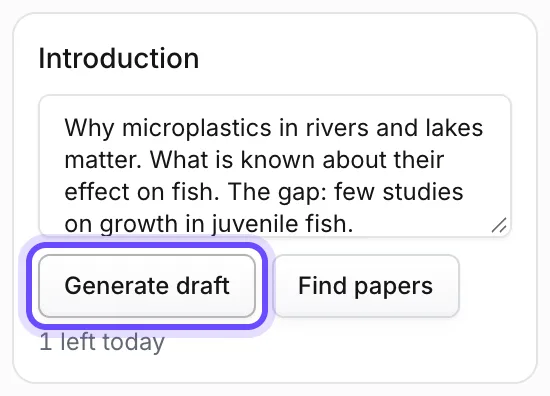
- Section prompt, introductionWhy microplastics in rivers and lakes matter. What is known about their effect on fish. The gap: few studies on growth in juvenile fish. End with my research question.
- Section prompt, backgroundDefine microplastics and their main sources in fresh water. Give two or three findings on how fish take them in. Keep it under 250 words.
- Search words in Citemicroplastics ingestion freshwater fish growth
In Papero
Set it up in Papero
Works on Free. On Free, a draft can cite the PDFs you uploaded. On Plus it can also cite your other sources and papers Papero finds. On Free the reference list shows blurred.
- Open the document from lesson 1. On a wider screen, the prompts panel on the left lists your headings under Section prompts. If it is closed, press Show prompts panel.
- Put your cursor in your first section. In its box, type what the section should cover.
- Press Generate draft. Read the draft, then press Add to document to keep it or Discard to drop it.
- Edit the text until it says what you mean.
- Put your cursor at the end of a sentence that states a fact. Press Cite in the toolbar, or type @ after a space.
- In the Search tab, type a few words about the fact and press Enter. With the box empty, Find papers for this sentence searches for the sentence you are in.
- Press Cite on the paper you want. Scroll to the end of the document: the reference list has grown by one entry (on Free it shows blurred).
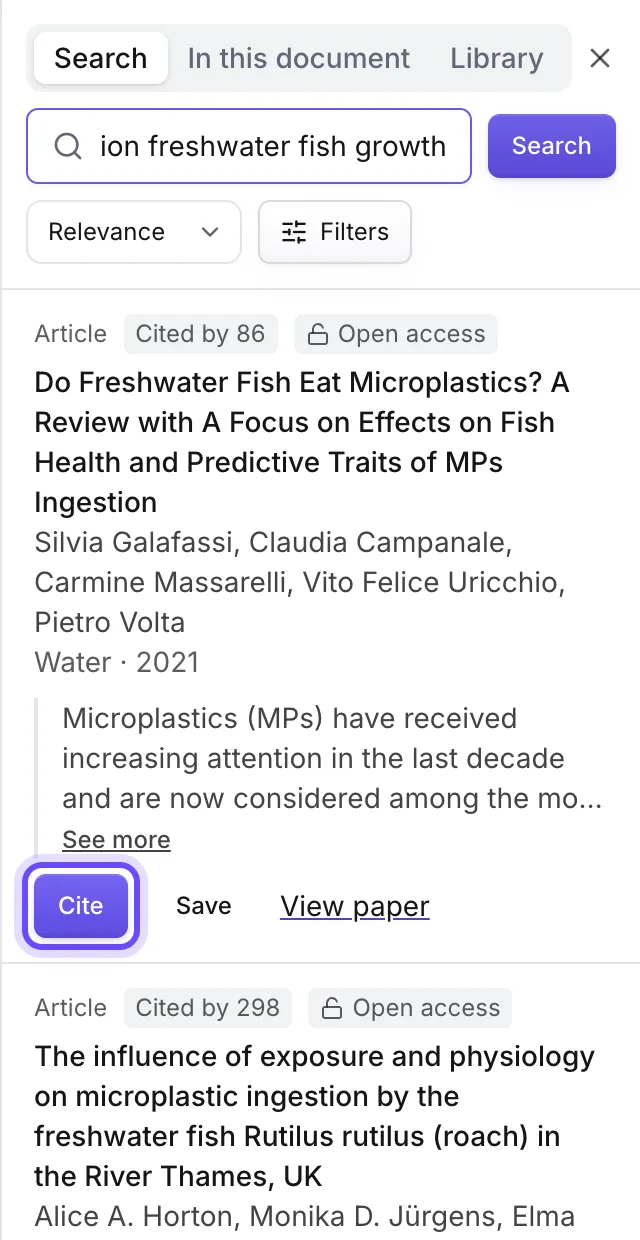
Paper shown: Galafassi, Campanale, Massarelli, Uricchio and Volta (2021), Water 13(16), 2214, https://doi.org/10.3390/w13162214, CC BY 4.0; abstract shortened.
Practice
Your task
- Draft one section from a prompt of three or four short lines.
- Rewrite at least two sentences in your own words.
- Cite one paper after a sentence that states a fact, and open the paper to check it says so.
You are done when one paragraph in your document has an in-text citation and, on Plus, the reference list at the end shows that source.
Common mistakes
- Keeping the draft as it isA draft knows your prompt, not your course. Change what is wrong, cut what is vague and add what only you know.
- Citing from the title aloneA title can promise more than the paper shows. Read at least the abstract before you rely on a source.
- One citation for a whole paragraphPut each citation at the sentence it supports. A single citation at the end of a paragraph leaves the reader guessing which claim it covers.
Key points
- Prompt, draft, edit: the draft is where your writing starts.
- A citation goes at the sentence that states the fact.
- The reference list follows your citations. You never type it.
Up next · Lesson 3 of 20 · 6 min
Turn a topic into a research question
One research question that your outline is built around
Mark as done and continueYou marked this lesson as done.