In this lesson you will
- Write a two-sentence description of your paper
- Pick a citation style and build an outline from the description
- Edit the headings until they match what you plan to argue
To turn a topic into an outline, say three things in one or two sentences: your field, the type of paper and the question you want to answer. In Papero you type that under What are you writing? and press Build my outline. You get headings you can edit, each with a short prompt for what the section should cover.
A topic is not yet a paper
"Microplastics" is a topic. "How microplastics affect the growth of freshwater fish" is a question, and a question tells you which sections the paper needs. An outline built from a bare topic gives you headings that would fit any paper. An outline built from a question gives you headings that fit yours.
Name the type of paper too. A literature review groups what others found. A research paper reports what you did, so it needs methods and results. A thesis chapter does one part of a larger argument.
The outline is a plan, and plans change. Move, rename and delete headings as soon as you see what the paper needs. Ten minutes on the outline saves hours of moving paragraphs later.
Lines to copy
- Literature reviewA literature review of how microplastics affect freshwater fish, for a master's dissertation in environmental science.
- Research paperA research paper in psychology on whether sleeping less than six hours affects memory in university students, based on a survey of 120 students.
- Thesis chapterThe methods chapter of a nursing thesis on handover routines in two emergency departments, using interviews with 14 nurses.
In Papero
Set it up in Papero
Works on Free. Papero shows beside the button how many AI outlines you have left.
- Press New in the sidebar. If a menu opens, choose New document.
- Under What are you writing?, describe your paper in a sentence or two. The hint under the box moves from Needs more detail to Good start to Detailed as you add your field, the type of paper and your question.
- Press the settings line under the box to open Document settings. Pick your Citation style, and keep Outline on From my description.
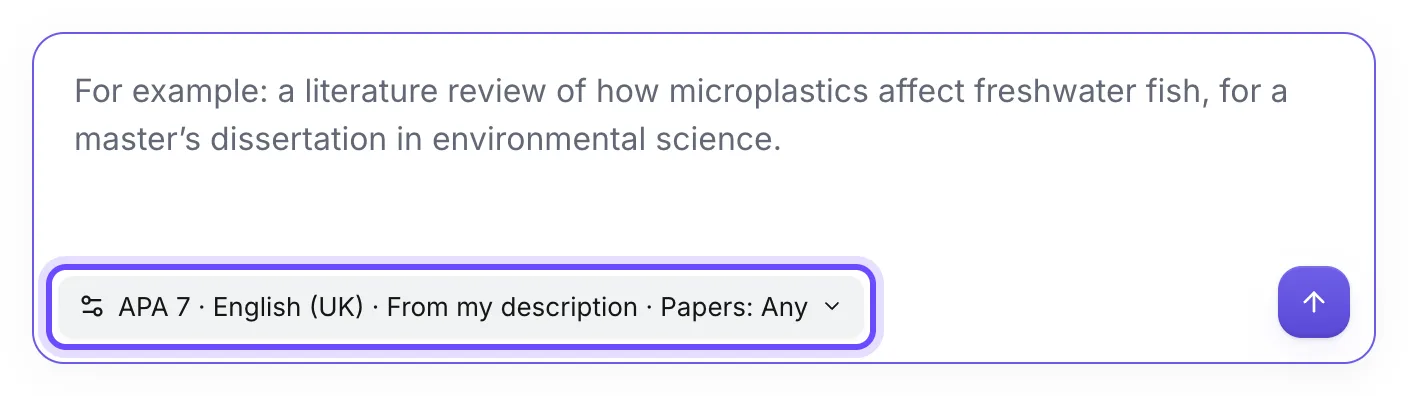
- Press Build my outline.
- Read the headings. Rename or delete any that do not fit, and add the ones that are missing.
Practice
Your task
- Write your own description with your field, the type of paper and your question.
- Build the outline in the citation style your course or journal asks for.
- Change at least one heading so that it says what you plan to argue.
You are done when your document shows headings that fit your topic, and the Section prompts panel on the left lists a prompt for each one.
Common mistakes
- A one-word topicOne word gives you a generic outline. Add the field, the paper type and the question before you build.
- Keeping every headingThe outline is a first proposal. A paper with eight thin sections reads worse than one with five full ones.
- Choosing the style laterPick the citation style now. You can change it at any time, but your first citations will already look the way your marker expects.
Key points
- Field, paper type and question: three things in two sentences.
- The outline is yours to edit. Headings should say what you will argue.
- Each heading carries a prompt, and the next lesson drafts from it.
Up next · Lesson 2 of 20 · 6 min
Write your first paragraph with a real citation
One paragraph with one in-text citation and a reference list
Mark as done and continueYou marked this lesson as done.