In this lesson you will
- Say what a retraction and a preprint mean for your paper
- Run the Sources check on your document
- Replace or label each source it flags
Before you hand in, check that none of your sources was retracted and that you know which ones are preprints. In Papero, open the Review tab, open More checks and press Check sources. The result groups your sources under Retracted, Preprints, Rarely cited, Could not be checked and Looks fine.
Three labels and what to do about each
A retracted paper has been withdrawn by its journal, usually because of errors or misconduct. Do not use it as evidence. Find another study for the claim, or drop the claim.
A preprint has not been through peer review yet. You may cite one when nothing published covers the point, and many fields do. Look for a published version first, and say that it is a preprint when your style asks for it.
Rarely cited is a prompt to look, not a verdict. A paper from this year has had no time to be cited. An older one that nobody cites deserves a second read of its methods and of where it was published.
Lines to copy
- Note to yourself after a retractionSource retracted. Claim on growth rates now rests on one study: find a second or soften the sentence.
- Sentence that relies on a preprintA recent preprint, not yet peer reviewed, reports the same pattern in juvenile trout.
In Papero
Set it up in Papero
Works on Free. The check uses one review and counts toward the daily paper search limit that every plan has.
- Open your document and press Side panel, then the Review tab.
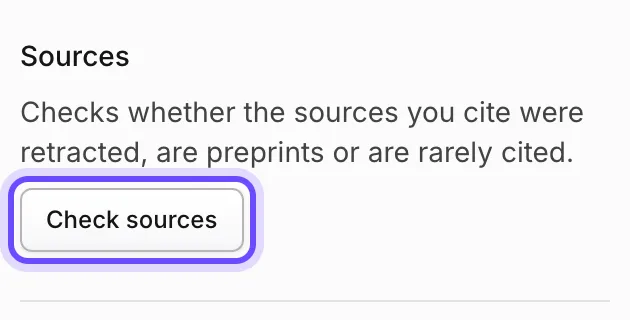
- Open More checks, find Sources and press Check sources. It reads the whole document.
- Read the groups, starting with Retracted.
- Press Show in document on a flagged source to jump to where you cite it.
- For a retracted source, replace the citation or remove the claim. On Plus the reference list also marks the entry Retracted.
- Look at Could not be checked. A source with no DOI or OpenAlex record cannot be checked, so look those up yourself.
Practice
Your task
- Run the Sources check on your document.
- Deal with every source under Retracted.
- For each preprint, search for a published version and cite that when there is one.
You are done when the check shows nothing under Retracted, and you can say why each preprint is still in your list.
Common mistakes
- Keeping a retracted paper for one small pointA marker who spots it will doubt the rest of your list. Replace it.
- Deleting every rarely cited paperNew work is rarely cited yet. Judge the paper, not the count.
- Ignoring what could not be checkedBooks, reports and web pages often have no DOI. Check those by hand: who published it, when, and is it still online.
Key points
- Retracted: replace it. Preprint: look for the published version. Rarely cited: read it again.
- The check reads the whole document in one go.
- A source without a DOI needs your own check.
Up next · Lesson 17 of 20 · 7 min
Check that your sources say what you say they say
Every cited sentence backed by the paper it cites
Mark as done and continueYou marked this lesson as done.